uni-app

一、uni-app工程目录结构

uni-app项目创建出来之后,目录结构如下:
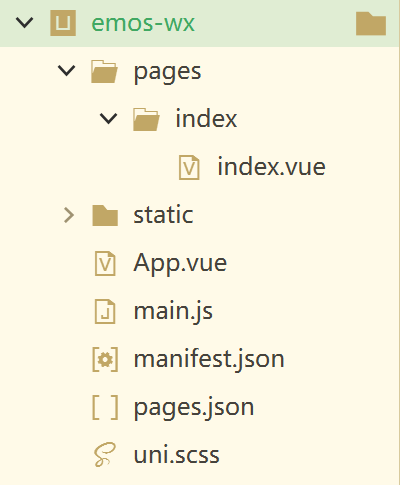
序号 结构 用途
1 pages目录 存放页面文件
2 static目录 存放静态文件(图片)
3 App.vue文件 所有小程序页面都被引用到该文件运行
4 main.js文件 项目入口文件,用来初始化VUE对象,定义全局组件等
5 manifest.json文件 工程配置文件,声明应用的名称、图标、权限等
6 pages.json文件 页面注册文件,配置页面路径、窗口样式、标题文字等
7 uni.scss文件 全局样式文件

二、练习

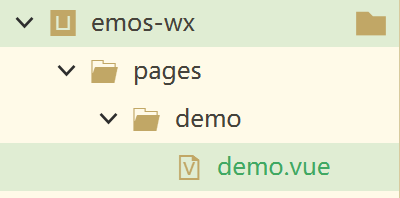
在pages目录中创建demo页面

在pages.json文件中,把demo页面设置为第一个页面

1
2
3
4
5
6
7
8
9
10
11
12
13
14
15
16
17
18
19
20
21
22
23
24
25
26
27
28
29
30
{
"pages": [ //pages数组中第一项表示应用启动页,参考:https://uniapp.dcloud.io/collocation/pages


{
"path" : "pages/demo/demo/demo",
"style" :
{
"navigationBarTitleText": "",
"enablePullDownRefresh": false
}

},
{
"path": "pages/index/index",
"style": {
"navigationBarTitleText": "uni-app"
}
}

],
"globalStyle": {
"navigationBarTextStyle": "black",
"navigationBarTitleText": "uni-app",
"navigationBarBackgroundColor": "#F8F8F8",
"backgroundColor": "#F8F8F8"
},
"uniIdRouter": {}
}

3.编写demo.vue文件

1
2
3
4
5
6
7
8
9
10
11
12
13
14
15
16
17
18
19
20
21
22
23
24
25
26
27
28
29
30
31
32
33
34
<template>
<view>
<view>fsdbniusdhfbi</view>
<view>{{username}}</view>
<view v-for="one in tel">{{one}}</view>
<view v-if="age>=18">
<button @tap="signUP">我要报名</button>
</view>

</view>
</template>

<script>
export default {
data() {
return {
username: "tom",
tel: ['132131','464646'],
age: 20

}
},
methods: {
signUP:function(){
uni.showToast({
title:"点击了报名按钮"
})
}
}
}
</script>
<style>
</style>

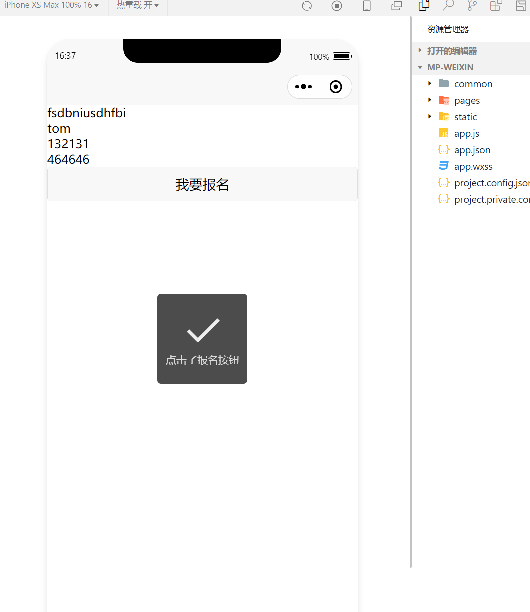
  • @tap为点击事件

  • 面包屑函数
    signUP:function(){
                    uni.showToast({
                        title:"点击了报名按钮"
                    })
                }
    
    1
    2
    3
    4
    5
    6
    7


    ![](https://raw.githubusercontent.com/SuoXiuYuan/typora_img/master/images/jmeter/20240804163742.png)

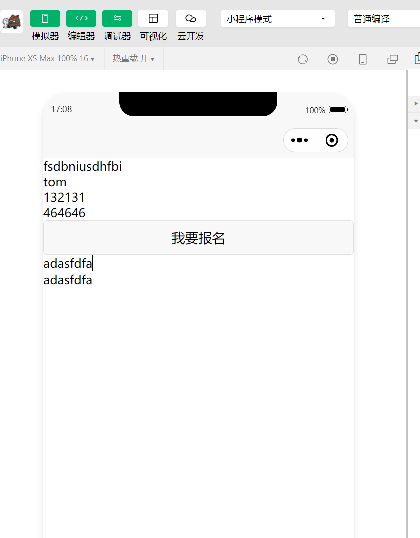
    - 双向绑定 b-moudel

    <template> <view> <view>fsdbniusdhfbi</view> <view>{{username}}</view> <view v-for="one in tel">{{one}}</view> <view v-if="age>=18"> <button @tap="signUP">我要报名</button> </view> <view> <input type="text" v-model="address" placeholder="请输入"/> </view> <view>{{address}}</view> </view> </template> <script> export default { data() { return { username: "tom", tel: ['132131','464646'], age: 20, address: "" } }, methods: { signUP:function(){ uni.showToast({ title:"点击了报名按钮" }) } } } </script> <style> </style>